The Global Styles panel in WordPress Full Site Editing (FSE) is a powerful feature that controls the overall design of your site. Instead of styling individual blocks one by one, Global Styles lets you define site-wide settings for typography, colours, and layout. These settings apply consistently across all templates and pages, ensuring a unified look and feel.
When to Use It:
- To maintain brand consistency without manually styling each block.
- To set a consistent color palette for headings, text, and backgrounds.
- To define typography rules (font family, size, line height) for headings and paragraphs.
- To adjust layout defaults, such as spacing and padding, across your site.
How to Access the Global Styles Panel
- Open the Site Editor:
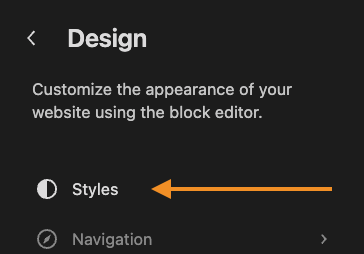
From your WordPress dashboard, go to Appearance → Editor. - Locate the Styles Icon:
In the top-right corner of the Site Editor, click the half-filled circle icon (this represents Styles).
- Explore Global Settings:
- Typography
- Colors
- Background
- Shadows
- Layout
- Add customizations to blocks
- Apply Changes:
Click Save to apply your global styles across all templates and pages.